



Creating devotional mythology songs for YouTube used to feel difficult.
From writing lyrics to generating music, creating mythology visuals, editing videos, and syncing everything together — the process often took too much time.
But after experimenting with AI tools, I slowly developed a workflow that helps me create AI devotional mythology songs faster while still maintaining an emotional and cinematic devotional feel.
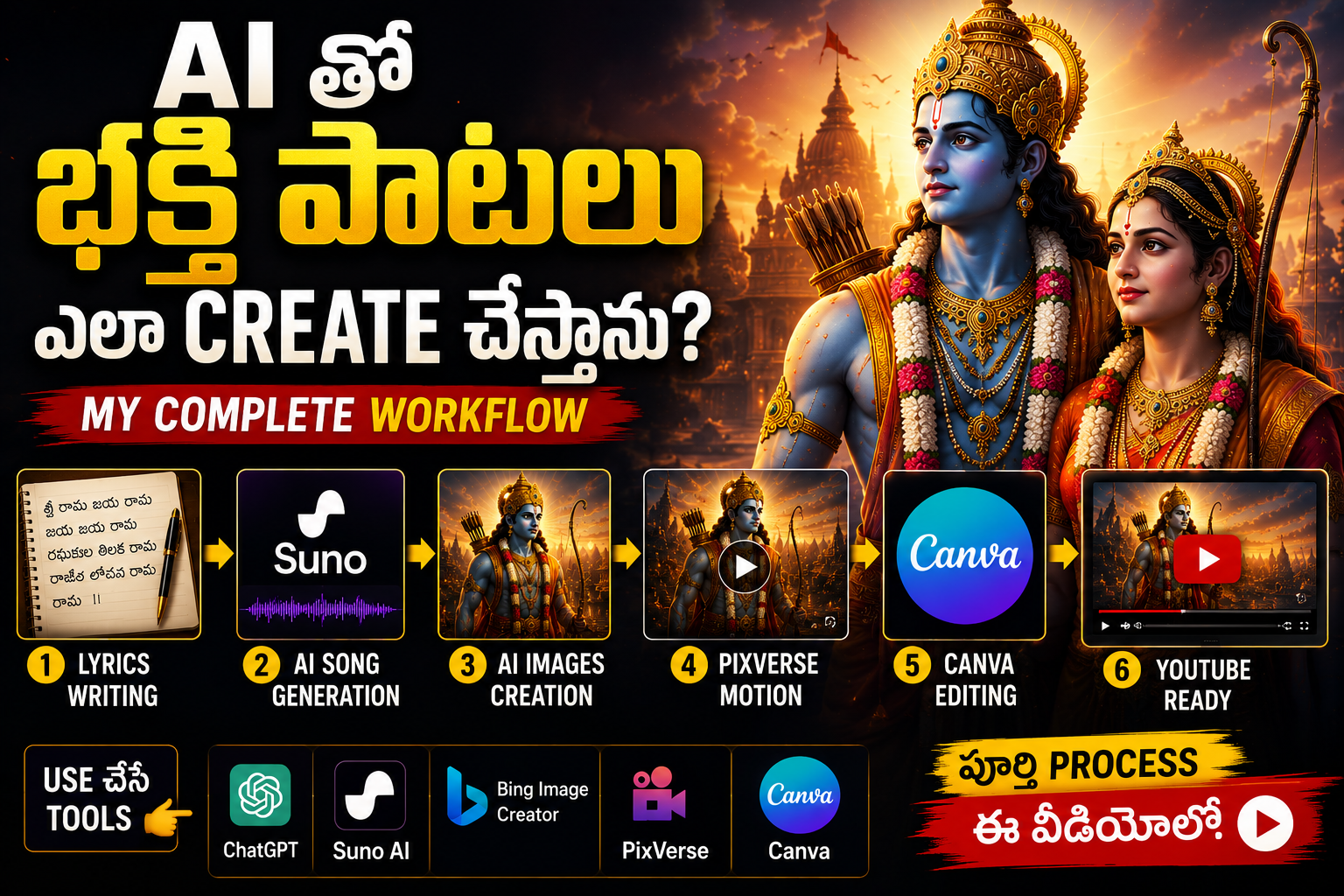
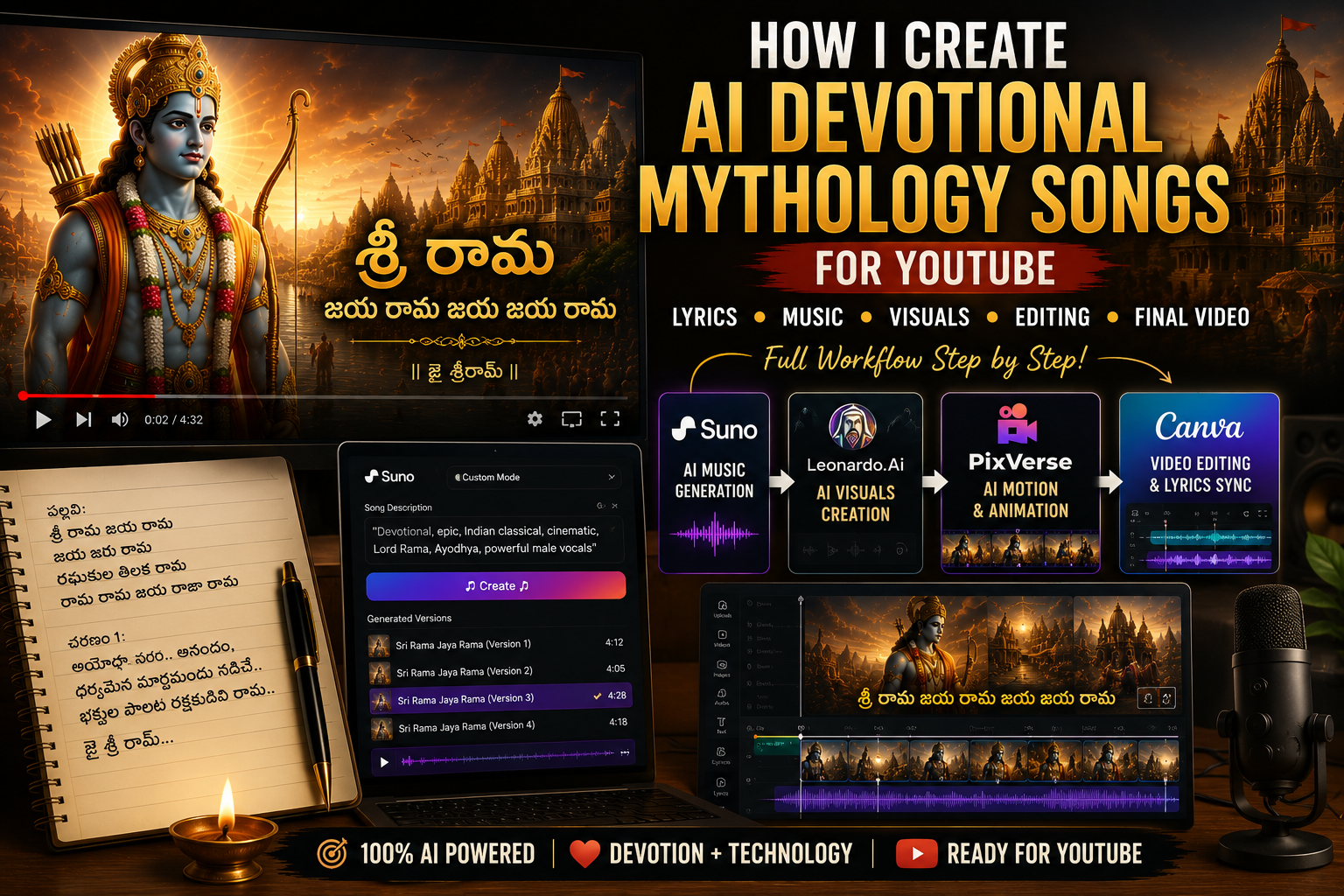
In this post, I will show you my exact process for creating devotional mythology songs for YouTube using ChatGPT, Suno AI, PixVerse, and Canva.
If you want to create devotional videos for Sri Rama, Hanuman, Shiva, Ramayana, Mahabharata, or mythology-based devotional content, this workflow can save time and improve quality.
Watch the Full Workflow Video
In this video, I explain my complete AI devotional song workflow from lyrics to final YouTube upload.
Why I Started Creating AI Devotional Mythology Songs
As someone building mythology content, I wanted to experiment with something beyond regular storytelling videos and Shorts.
Devotional songs felt like the perfect direction.
People emotionally connect with devotional content, especially when music, visuals, and spirituality come together.
At the same time, I wanted to test whether AI tools could simplify devotional content creation.
Instead of spending days creating one devotional video, I wanted a workflow that could help me move faster while still maintaining emotional depth.
That is how my AI devotional mythology workflow began.
My Exact AI Devotional Song Workflow
My process is simple:
Lyrics → Song Creation → Mythology Visuals → Motion → Video Editing → YouTube Upload
Instead of randomly creating devotional videos, I follow a repeatable workflow.
This keeps my content more consistent and helps improve production speed.
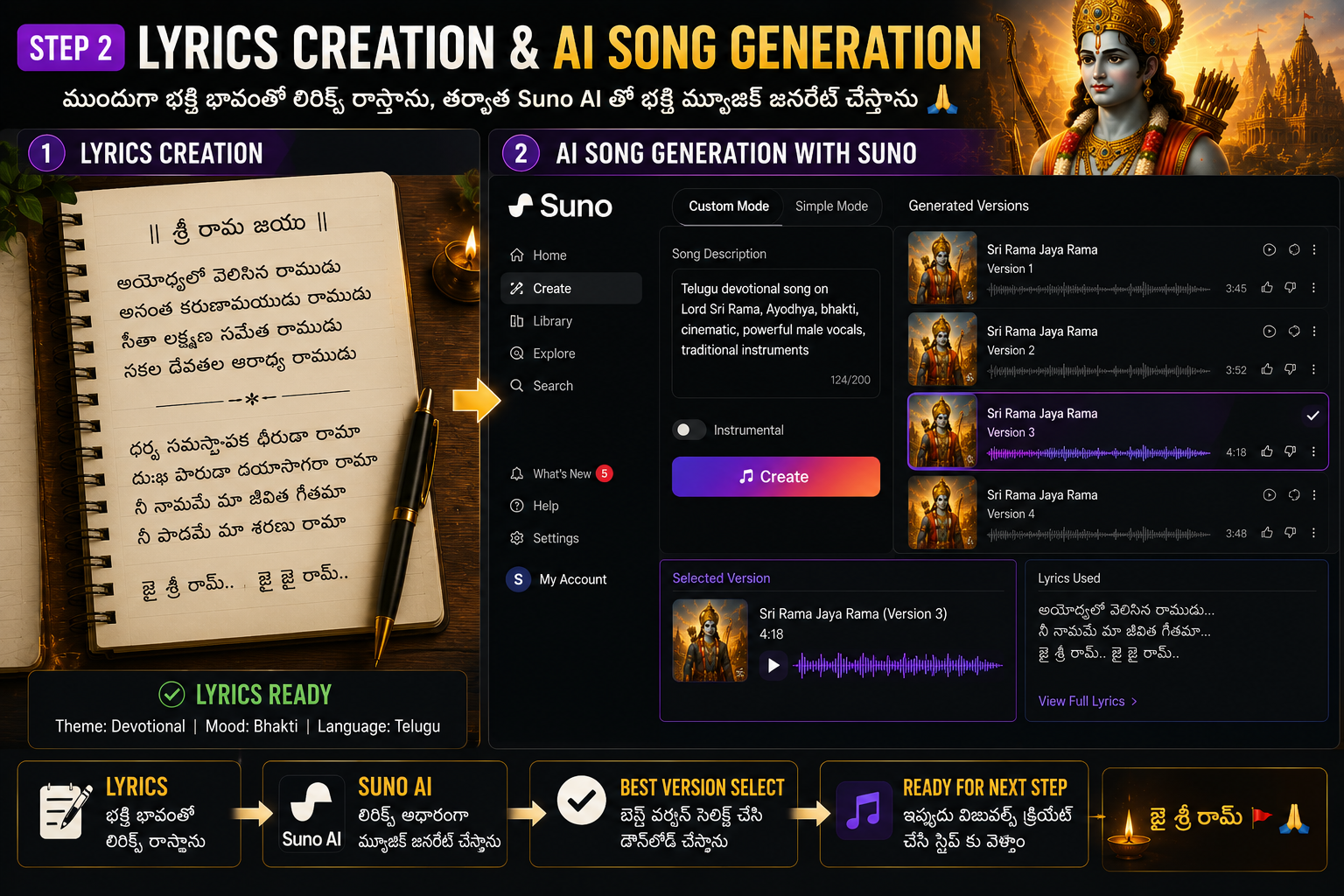
Step 1: Writing Devotional Lyrics Using AI
Every devotional mythology song starts with lyrics.
Instead of creating random lyrics, I focus on:
- Emotion
- Devotional feeling
- Spiritual atmosphere
- Memorable words
- Cinematic devotional emotion
For example, when creating a Sri Rama devotional song, I focus on emotions like:
- Bhakti
- Ayodhya
- Divine blessings
- Peace
- Emotional surrender
I usually use ChatGPT to brainstorm lyrics and improve devotional emotion.
The goal is not simply writing words.
The goal is creating lyrics that emotionally connect with listeners.
Step 2: Creating the Song Using Suno AI
Once the lyrics are ready, I move to Suno AI.
This is where the devotional song actually comes alive.
One thing I learned quickly is that the prompt matters a lot.
A weak prompt creates generic music.
A strong devotional prompt creates emotional devotional energy.
For mythology devotional songs, I usually include:
- Telugu devotional mood
- Melodious spiritual feeling
- Cinematic devotional atmosphere
- Soft emotional vocals
- Temple bells
- Flute and veena
- Peaceful spiritual atmosphere
I usually generate 3 to 5 versions and choose the best one emotionally.
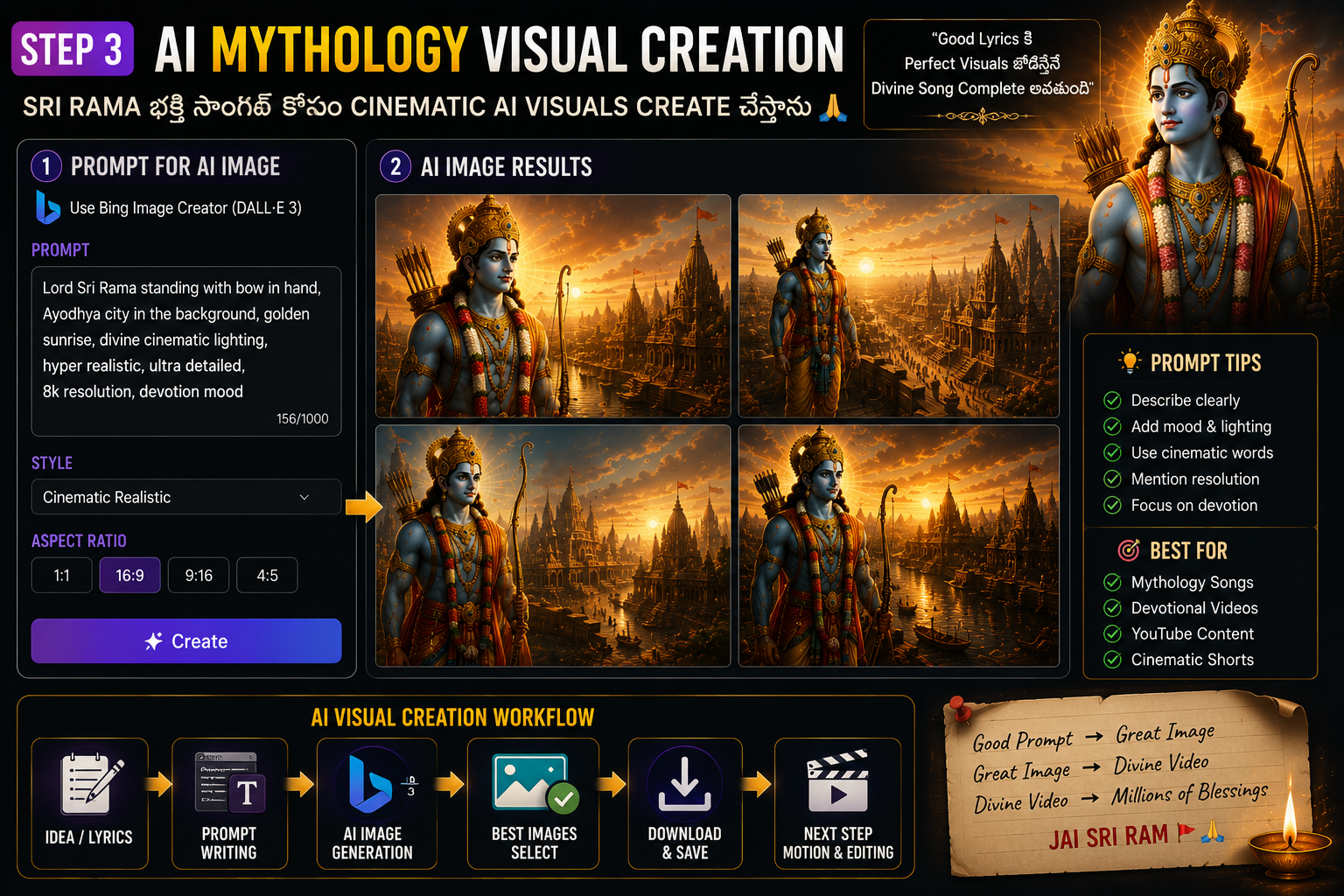
Step 3: Creating AI Mythology Visuals
After generating the devotional song, I move to visuals.
This is where mythology storytelling becomes visual.
For a Sri Rama devotional song, I usually create visuals like:
- Lord Rama closeups
- Ayodhya atmosphere
- Temple backgrounds
- Golden sunrise scenes
- Divine aura and light rays
- Peaceful spiritual environments
I prefer cinematic visuals over flat images because devotional songs feel much stronger when visuals emotionally support the music.
I focus heavily on:
- Warm golden lighting
- Spiritual atmosphere
- Cinematic realism
- Emotional expressions
- Divine devotional mood
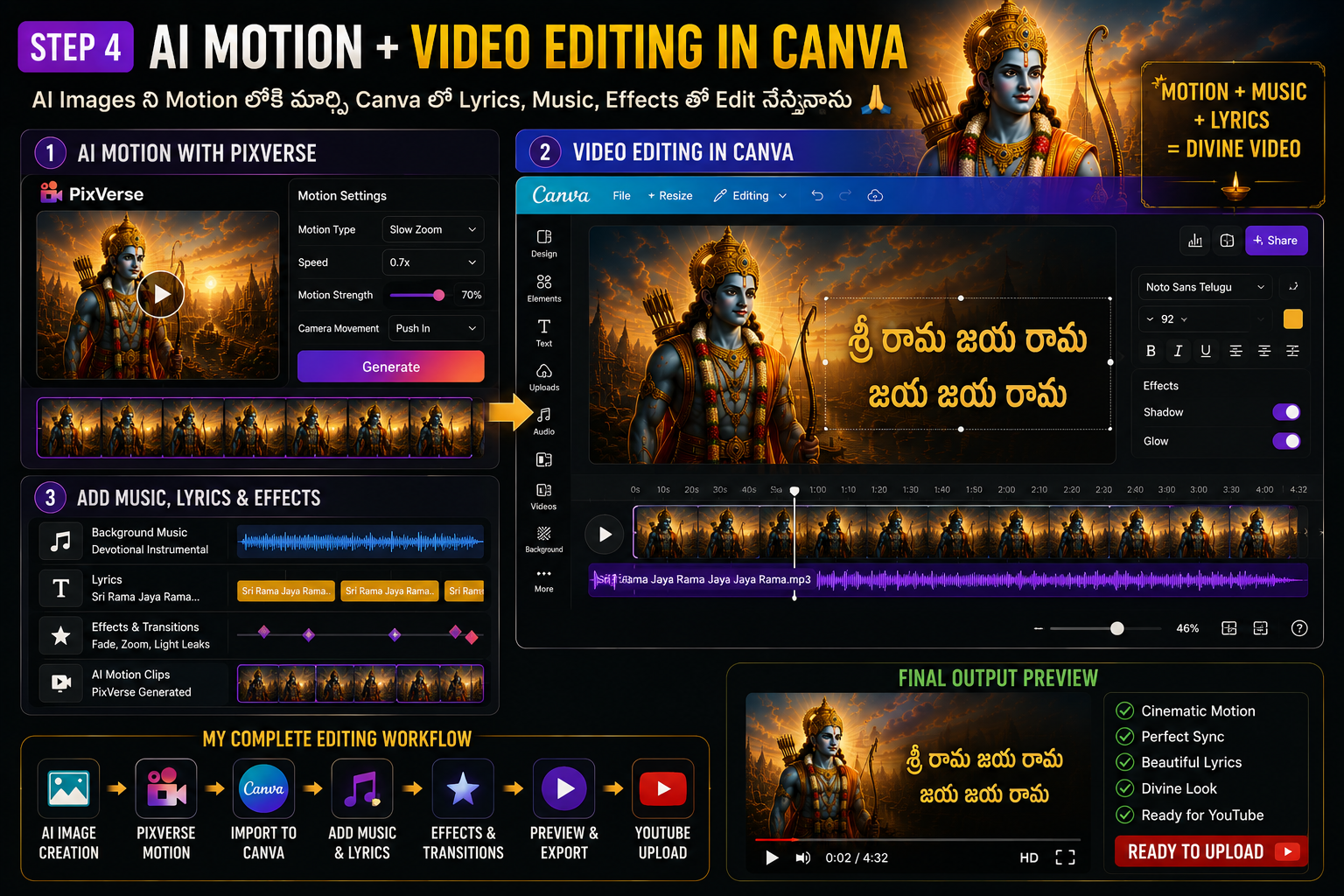
Step 4: Adding Motion to Mythology Visuals Using PixVerse
Static mythology images can work, but adding motion makes devotional videos feel much more cinematic.
This is where PixVerse becomes useful.
Instead of showing completely still images, I add subtle movement that enhances the spiritual atmosphere.
For devotional mythology videos, I avoid dramatic or fast motion.
Instead, I focus on:
- Slow zoom effects
- Divine light rays
- Floating particles
- Soft camera movement
- Golden spiritual glow
- Gentle emotional pacing
For example, a Sri Rama image becomes much more immersive when the camera slowly zooms in while soft golden particles move around the frame.
The key is balance.
Too much motion can ruin the devotional atmosphere.
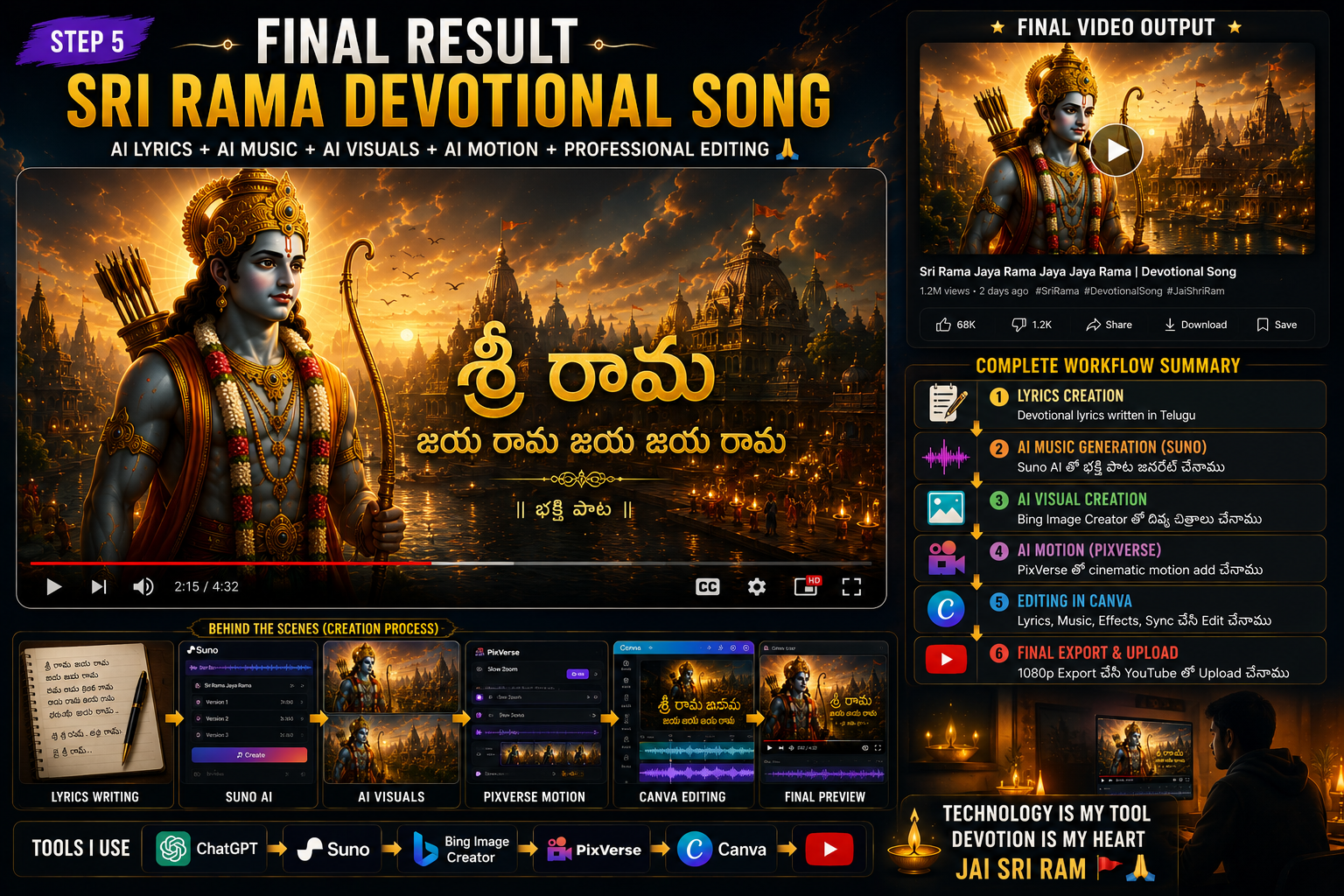
Step 5: Editing the Final Devotional Video
Once the visuals and motion clips are ready, I bring everything together into the final edit.
This is where the devotional song transforms into a complete YouTube video.
At this stage, I usually:
- Add the devotional song
- Arrange mythology visuals
- Match visuals with emotional moments
- Adjust timing and pacing
- Add smooth transitions
- Create cinematic devotional flow
One thing I learned quickly is this:
Devotional videos work better with slow emotional pacing.
Fast edits may work for entertainment content, but mythology devotional songs feel stronger when visuals move calmly and emotionally.
The goal is simple:
Create a devotional experience — not just a slideshow.
Step 6: Final Export and YouTube Upload
Before uploading, I always review the full devotional video carefully.
I check:
- Audio quality
- Visual timing
- Scene pacing
- Motion smoothness
- Transitions
- Emotional flow
After the review, I export the video in the correct format for YouTube.
For Shorts:
1080 × 1920 vertical format
For long videos:
1920 × 1080 horizontal format
Then I optimize the upload with:
- SEO-friendly title
- Strong thumbnail
- Description
- Tags
- Pinned comment
Challenges I Faced While Creating AI Devotional Songs
Although AI makes content creation faster, there were still a few challenges.
1. Getting the Right Emotional Feel
Sometimes AI-generated songs sounded too generic or too modern.
Getting the right devotional feeling required experimentation.
2. Matching Visuals With Music
Not every mythology image fits every devotional moment.
Visual timing matters more than I expected.
3. Avoiding a Slideshow Feeling
Static visuals quickly become repetitive.
Adding subtle motion improved the cinematic devotional experience significantly.
4. Balancing AI and Emotion
AI helps speed up content creation, but devotional videos still need emotional direction.
The human touch still matters.
Related AI Mythology Tutorials
- How I Create AI Mythology Images for YouTube Videos
- How I Edit Mythology YouTube Shorts in Canva
- How I Create Telugu Subtitles for Mythology Videos
- How I Create AI Narration for Mythology Shorts
Frequently Asked Questions (FAQ)
Can AI create devotional songs?
Yes. Tools like Suno AI can help generate devotional songs using lyrics and carefully designed prompts.
What is the best AI tool for devotional songs?
For my workflow, I primarily use Suno AI for music generation.
Can beginners create mythology devotional videos?
Yes. Even beginners can create devotional mythology content with the right workflow and tools.
Can I create Telugu devotional songs using AI?
Absolutely. AI tools can help generate Telugu devotional songs using prompts, lyrics, and mythology visuals.
Do devotional videos perform well on YouTube?
Yes. Devotional content has a loyal audience and performs especially well when visuals and music emotionally connect with viewers.
Final Verdict
Creating AI devotional mythology songs for YouTube has become much easier than before.
Instead of spending days creating a devotional video, AI tools can help speed up the process significantly.
My workflow is simple:
Lyrics → Song Generation → Mythology Visuals → Motion → Editing → YouTube Upload
But one important thing still matters:
AI can help create devotional content, but emotion and devotion still matter.
The best devotional videos are not just technically good.
They emotionally connect with viewers.
If you are experimenting with mythology content or devotional YouTube videos, this workflow can save time while helping you create visually engaging spiritual content.
Have you tried creating devotional songs using AI?
Let me know in the comments.
🚩 Jai Shri Ram 🚩