

AI Video Automation is changing how creators, bloggers, marketers, and businesses produce video content. What once required cameras, editors, studios, and large budgets can now be done using AI—faster, cheaper, and at massive scale.
In this complete guide, you’ll learn what video automation is, how it works, who it’s for, and how to use it professionally—whether you are a beginner or an experienced creator.
What Is AI Video Automation?
AI Video Automation is the process of creating videos end-to-end using artificial intelligence with minimal manual effort.
Instead of manually recording, editing, syncing audio, and formatting videos, AI tools automate most or all of these steps.
video automation typically includes:
- AI-generated scripts
- Text-to-speech voiceovers
- AI avatars or talking photo videos
- Automated visuals and scene generation
- Auto captions and subtitles
- Platform-ready formatting for YouTube, Shorts, and Reels
- Batch video creation
The biggest advantage is scale. One person can produce content at the level of a full production team.
AI-Assisted Video vs Fully Automated Video
Not all AI videos are the same. Understanding this difference is important.
AI-Assisted Video Creation
AI helps with individual tasks such as:
- Script writing
- Voiceovers
- Captions
Humans still assemble and edit the video.
Fully Automated AI Video Creation
A defined workflow handles everything:
- Input text or content
- AI generates voice, visuals, and captions
- Video is ready to publish
Most professionals use a hybrid approach—automation for speed, human input for quality.
Why AI Video Automation Matters More Than Ever in 2026
Video dominates online platforms, and consistency matters more than perfection.
video automation matters because:
- Short-form video drives discovery
- Algorithms reward frequent posting
- Manual video creation leads to burnout
- Businesses need scalable content pipelines
- Solo creators now compete with large teams
AI doesn’t replace creativity—it removes friction.
Who Should Use AI Video Automation?
Bloggers
Turn blog posts into YouTube videos and Shorts without recording.
Affiliate Marketers
Create explainer and review videos at scale, even without showing your face.
YouTubers and Shorts Creators
Maintain consistent publishing schedules without editing overload.
Course Creators and Coaches
Produce lessons, training videos, and promotional clips efficiently.
Small Businesses
Create marketing and social media videos without hiring editors.
Multilingual Creators
Publish the same content in multiple languages using AI voice and captions.
Manual Video Creation vs AI Video Automation
Use this comparison to understand the shift:
Manual Video Creation
- High time investment
- Requires filming and editing skills
- Higher production costs
- Limited scalability
Video Automation
- Fast content creation
- Low technical barrier
- Subscription-based costs
- Highly scalable
For most creators in 2026, automation is the smarter path.
Types of AI Video Automation
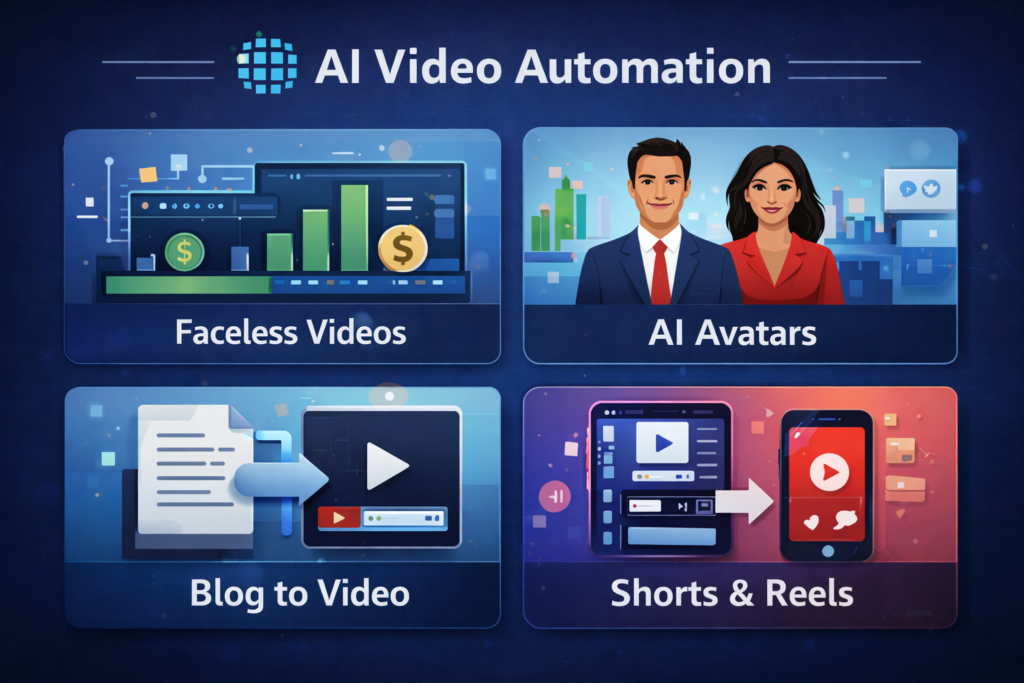
Faceless AI Video Automation
Videos created using stock visuals, animations, or AI-generated scenes—no human face required.
Talking-Head AI Videos
Use AI avatars or a single photo to create speaking videos for personal branding.
Blog-to-Video Automation
Convert written articles directly into video explainers.
Image-to-Video Automation
Turn still images into talking or animated videos using lip-sync AI.
Short-Form Video Automation
Automatically create Shorts, Reels, and TikToks from long content.
Multilingual Video Automation
Translate and recreate videos in multiple languages for global reach.
Popular AI Video Automation Workflows
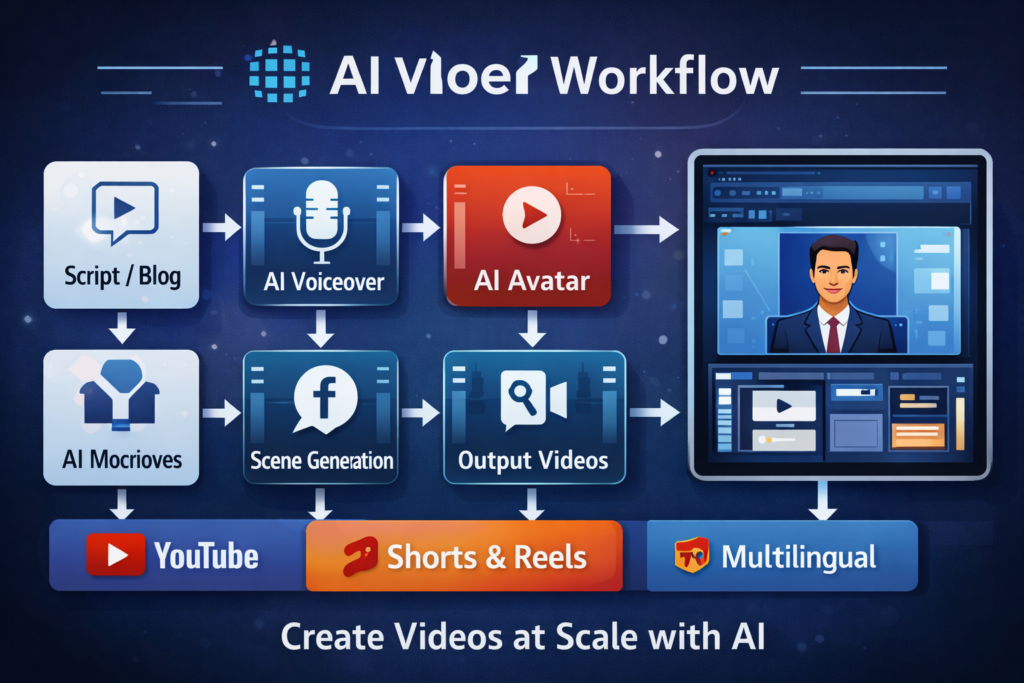
These workflows are widely used by professionals:
- Script → AI voice → AI avatar → publish
- Blog post → video → YouTube → Shorts
- Image → talking video → social media
- Long video → multiple short clips
- One video → multiple languages
Success comes from systems, not tools alone.
Best AI Video Automation Tools (Overview)
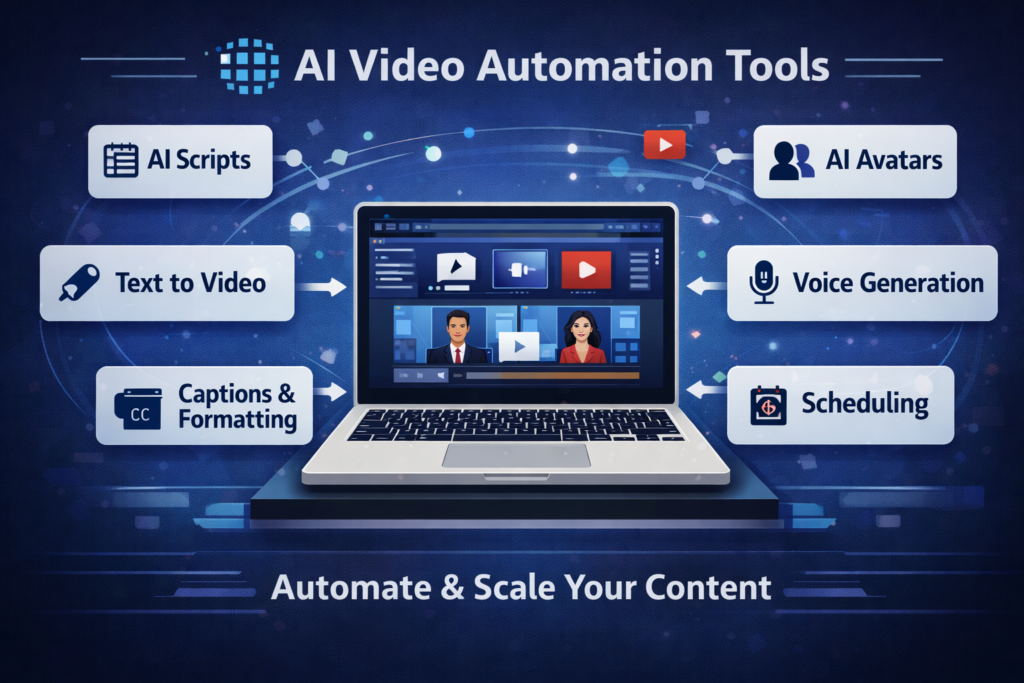
video automation tools usually fall into these categories:
- All-in-one AI video platforms
- AI avatar and talking-photo tools
- AI voice generation tools
- Captioning and formatting automation tools
The right choice depends on whether you want faceless videos, personal branding, or high-volume Shorts creation.
👉 See our detailed comparison of the best AI video automation tools.
How to Choose the Right Video Automation Tool
Before selecting a tool, consider:
- Your target platform (YouTube, Shorts, Reels)
- Faceless vs personal branding approach
- Language and accent support
- Export quality and formats
- Pricing and scalability
Choose tools that fit your workflow, not trends.
Common Video Automation Mistakes to Avoid
- Over-automating without a content strategy
- Using weak or generic scripts
- Ignoring platform-specific optimization
- Publishing low-quality voiceovers
- Reposting identical videos everywhere
AI accelerates output, but strategy still matters.
AI Video Automation FAQs
Is video automation legal?
Yes. AI-created videos are legal when they follow copyright rules and platform policies.
Can AI videos be monetized?
Yes. AI videos can be monetized on YouTube, blogs, and affiliate platforms when they provide original value.
AI-created videos can be monetized as long as they follow the official YouTube monetization policies
Do AI videos rank on YouTube?
YouTube ranks videos based on engagement and relevance—not how they are created.
Is AI video automation suitable for beginners?
Yes. Beginners often succeed faster by focusing on systems instead of manual editing.
Can professionals use AI video automation?
Absolutely. Professionals use AI to scale output and reduce production costs.
Google indexes and ranks videos based on structured data and relevance, as explained in Google Search Central video SEO guidelines.
Start Using Video Automation Today
AI video automation is no longer experimental. It is a proven way to scale content creation in 2026.
Whether you’re a beginner or an experienced creator, the advantage goes to those who build repeatable systems early.
👉 Next step: Explore AI video automation tools and workflows.